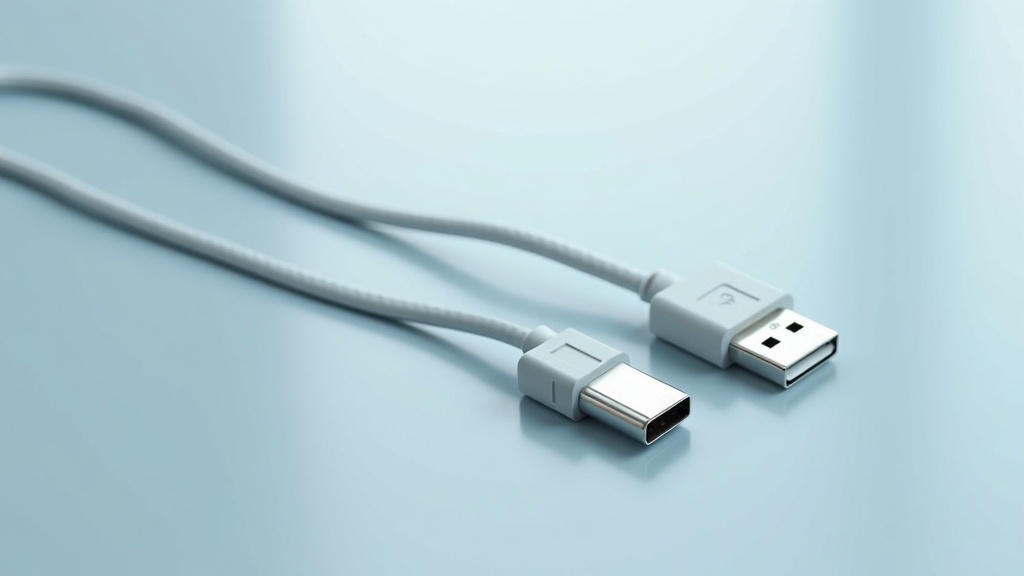
USB Cables and Adapters: Your Complete Guide to USB-C








USB cables and adapters have become the universal standard for modern device connectivity. This guide explains the technical specifications, market trends, and practical applications of USB-C, from charging to data transfer, helping you choose the right cable for your needs.
Table of Contents
- The Evolution of USB Cables and Adapters
- Understanding USB-C Speeds and Power Delivery
- USB-C vs. Legacy Connectors: A Practical Comparison
- The Future of USB Cables and Adapters in Consumer Electronics
- Frequently Asked Questions
- Comparison: USB Standards at a Glance
- Practical Tips for Choosing USB Cables and Adapters
- Final Thoughts on USB Cables and Adapters
- Sources & Citations
Quick Stats: USB Cables and Adapters
- 85% of new smartphones launched in 2024 feature USB-C connectivity (Intel Market Research, 2024)[1]
- The global USB Type-C cables market is projected to grow by $1.96 billion from 2024 to 2032 (Intel Market Research, 2024)[1]
- USB4 cables and adapters deliver up to 40 Gbps of data throughput (USB Implementers Forum, 2024)[2]
- USB-C cables can now support up to 240 watts of power delivery with Extended Power Range (USB Implementers Forum, 2024)[3]
The world of USB cables and adapters has transformed dramatically over the past decade. What was once a confusing array of different connectors – USB-A, USB-B, Mini-USB, Micro-USB – has largely consolidated around the reversible, versatile USB-C connector. This shift is not just about convenience; it represents a fundamental change in how we power and connect our devices. From smartphones and laptops to monitors and external storage, the USB-C ecosystem now handles power delivery, high-speed data transfer, and video output through a single cable. This guide will walk you through everything you need to know about this essential technology, including speed standards, power capabilities, and what to look for when buying new cables and adapters.
The Evolution of USB Cables and Adapters
The journey of USB cables and adapters began in the mid-1990s with the original USB 1.0 standard, which offered a modest 1.5 Mbps data transfer rate. Over the years, the standard evolved through USB 2.0 (480 Mbps), USB 3.0 (5 Gbps), and USB 3.1 (10 Gbps), each generation bringing faster speeds and new connector types. The most significant revolution came with the introduction of the USB Type-C connector. As the USB Implementers Forum stated in their specification, “The USB Type‑C connector was created to be a universal, reversible solution, enabling one cable and adapter ecosystem to support everything from low‑power peripherals to high‑performance displays and 240‑watt charging” (USB Implementers Forum, 2024)[4]. This design philosophy has driven the adoption of USB-C across virtually all new consumer electronics. Today, you can find USB-C ports on everything from high-end laptops to budget earbuds. The connector’s 24-pin design allows for simultaneous transmission of power, data, and video signals, making it the single most versatile connection standard in history. For shoppers looking to upgrade their setup, understanding the different capabilities of these cables is the first step to avoiding compatibility issues and performance bottlenecks.
Understanding USB-C Speeds and Power Delivery
Not all USB cables and adapters are created equal. The key differentiators are data transfer speed and power delivery capacity, which are determined by the cable’s internal wiring and the USB generation it supports. The current maximum for consumer USB-C cables is the USB4 standard, which, according to the USB Implementers Forum, “are designed to deliver up to 40 Gbps of data throughput while supporting advanced features like DisplayPort tunneling and high‑wattage USB Power Delivery over a single Type‑C connector” (USB Implementers Forum, 2024)[2]. For power, the latest specification allows for up to 240 watts using Extended Power Range (EPR), a capability that Texas Instruments’ Kevin C. Jensen notes “fundamentally change system design, allowing manufacturers to replace proprietary power bricks with a single standardized connector and cable” (Texas Instruments, 2025)[5]. However, many common cables are limited to 60 watts (Standard Power Range) or 100 watts. It is crucial to match the cable to the device. Using a cable rated for 60 watts to charge a high-performance laptop that requires 100 watts will result in very slow charging or no charging at all. Similarly, using an older USB 2.0 cable for a high-speed external SSD will cap the transfer speed at 480 Mbps, wasting the drive’s potential. Always check the specifications printed on the cable or its packaging.
Data Transfer Speeds: From USB 3.2 to USB4
The USB standard has officially recognized four generations of speed increases (Data Alliance, 2024)[6]. While USB 3.2 Gen 2×2 offers up to 20 Gbps, USB4 and Thunderbolt 4 push the limit to 40 Gbps. Some implementations are even reaching 80 Gbps. For most users, a USB 3.2 Gen 2 cable (10 Gbps) is sufficient for fast file transfers and video streaming.
USB-C vs. Legacy Connectors: A Practical Comparison
The primary advantage of modern USB cables and adapters is their universality. The EU’s mandate for USB-C as a common charging port is a major driver. The European Commission stated that this rule will “reduce e‑waste by at least 11,000 tonnes annually, and save close to €250 million per year on unnecessary charger purchases” (European Commission, 2024)[7]. This regulatory push, combined with consumer demand for convenience, is rapidly phasing out older connectors. For example, 80% of new laptops are projected to use USB-C as their primary charging and data port by 2025 (Intel Market Research, 2024)[1]. While you can still find devices with USB-A ports, the industry is clearly moving toward a single connector. This transition is a boon for consumers, who no longer need a drawer full of different cables. A single set of high-quality USB-C cables and adapters can now power a phone, charge a laptop, connect a monitor, and transfer files from a camera. For those with older peripherals, USB-C hubs and adapters provide a seamless bridge, allowing you to connect legacy devices to modern ports.
The Future of USB Cables and Adapters in Consumer Electronics
The future of USB cables and adapters is one of increased integration and higher performance. As devices become more powerful, the demand for higher power delivery and faster data transfer will only grow. The USB4 standard is already laying the groundwork for this, with its ability to tunnel PCIe data and DisplayPort signals. This means that a single USB-C cable could eventually replace all internal and external connections for a laptop, including the display connection, storage interface, and charging cable. The push for sustainability is also shaping the market. The reduction in e-waste from a universal charger standard is significant, and manufacturers are responding by designing cables that are more durable and support higher power levels to last through multiple device upgrades. For the consumer, this means that investing in high-quality, certified USB cables and adapters today is a future-proof decision. They will support not only current devices but also the next generation of laptops, tablets, and smartphones that will rely on the full capabilities of the USB-C ecosystem. We can expect to see even more widespread adoption of USB-C in home appliances, power tools, and other electronics that have traditionally used proprietary connectors.
Important Questions About USB Cables and Adapters
What is the difference between USB 3.2 and USB4 cables?
The main difference is speed and features. USB 3.2 Gen 2×2 supports up to 20 Gbps, while USB4 supports up to 40 Gbps. USB4 also supports advanced features like DisplayPort tunneling and PCIe data transfer, making it more suitable for high-performance docks and external GPUs. Both use the USB-C connector, but a USB4 cable is generally backward compatible with USB 3.2 devices, though at lower speeds.
Can I use any USB-C cable to charge my laptop?
Not all USB-C cables are created equal for charging. You need a cable that supports the power level your laptop requires. Basic passive cables typically support up to 60 watts, while 100-watt cables are common for many laptops. For high-performance laptops that require more than 100 watts, you need an EPR (Extended Power Range) cable that supports up to 240 watts. Always check the cable’s power rating before using it to charge a laptop.
Are all USB-C cables the same for data transfer?
No, data speed varies significantly. A USB 2.0 cable (often found with older chargers) will only transfer data at 480 Mbps. For fast file transfers, you need a USB 3.2 Gen 2 cable (10 Gbps) or a USB4 cable (40 Gbps). The cable’s internal wiring determines the speed; using a slow cable with a fast SSD will bottleneck the performance. Look for cables labeled with the speed rating.
What does the EU’s common charger mandate mean for USB-C?
The EU mandate requires that all small and medium-sized portable electronics sold in the EU must use USB-C as their charging port. This applies to smartphones, tablets, cameras, headphones, and more. The goal is to reduce e-waste and consumer costs by eliminating the need for multiple different chargers. This regulation is a major driver for the global adoption of USB-C as the universal standard.
Comparison: USB Standards at a Glance
Choosing the right cable depends on understanding the different standards. The table below summarizes the key specifications for the most common USB generations found in USB cables and adapters today.
| Standard | Max Speed | Max Power | Connector |
|---|---|---|---|
| USB 2.0 | 480 Mbps | 2.5 W | USB-A, USB-C |
| USB 3.2 Gen 2 | 10 Gbps | 100 W | USB-C |
| USB 3.2 Gen 2×2 | 20 Gbps | 100 W | USB-C |
| USB4 | 40 Gbps | 240 W (EPR) | USB-C |
Practical Tips for Choosing USB Cables and Adapters
When buying USB cables and adapters, consider these actionable tips to ensure you get the right product for your needs. First, always check the specifications. Look for the data transfer speed (e.g., 10 Gbps, 40 Gbps) and power delivery rating (e.g., 60W, 100W, 240W) on the packaging or product page. Second, buy from reputable brands or look for USB-IF certification. Certified cables have been tested to meet the USB standard, ensuring safety and performance. Third, think about cable length. Longer cables (over 2 meters) can experience signal degradation at high speeds, so for 40 Gbps USB4 connections, stick to shorter, high-quality cables. Fourth, consider your use case. If you only need to charge a phone, a standard 60W cable is fine. If you need to connect a 4K monitor and charge a laptop, look for a cable that supports both high-speed data and high-power delivery. Finally, don’t forget adapters. A good USB-C hub can expand a single port into multiple connections, including HDMI, Ethernet, and legacy USB-A ports. This is particularly useful for slim laptops that have only one or two USB-C ports.
For more about Hdmi cables for laptops, see read the full guide on hdmi cables for laptops.
Final Thoughts on USB Cables and Adapters
The transition to USB-C as the universal standard for USB cables and adapters is one of the most significant shifts in consumer electronics. It simplifies our digital lives, reduces waste, and enables new levels of performance. Whether you are charging a phone, transferring photos, or connecting a monitor, understanding the capabilities of your cables ensures you get the best experience from your devices. As the technology continues to evolve, investing in quality, certified cables today will prepare you for the devices of tomorrow. For more detailed information on specific use cases, explore our related guides and resources.
Sources & Citations
- US USB Type-C Cables Market 2025-2032. Intel Market Research.
https://www.intelmarketresearch.com/us-usb-type-c-cables-2025-2032-84-1381 - USB4 Specification Overview. USB Implementers Forum.
https://www.usb.org/sites/default/files/usb4-overview.pdf - USB Power Delivery R3.1 V2.0 EPR Update. USB Implementers Forum.
https://www.usb.org/sites/default/files/USB_PD_R3-1_V2-0_EPR_Update.pdf - USB Type‑C Cable and Connector Specification Revision 2.2. USB Implementers Forum.
https://www.usb.org/sites/default/files/USB_Type-C_Specification_Rev_2-2_Download.pdf - Designing with USB Type‑C and USB Power Delivery. Texas Instruments.
https://www.ti.com/lit/wp/slyy208/slyy208.pdf - USB Cables & Adapters Guide. Data Alliance.
https://www.data-alliance.net/usb-cables-adapters/ - Common charger: Commission welcomes adoption of new rules. European Commission.
https://ec.europa.eu/commission/presscorner/detail/en/ip_24_4952